How a model sees a page
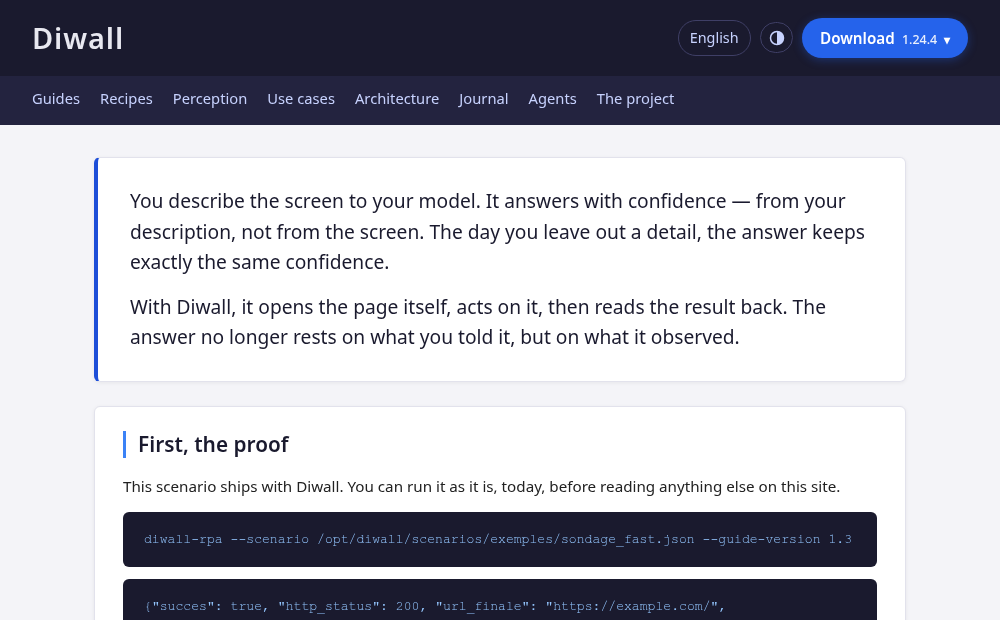
The same web page, three ways: as you see it, as it is numbered for an agent, and as it reads in text. Screenshots produced by Diwall against this very page.
A language model does not see a web page. It receives a description of one, and the shape of that description decides what it can and cannot do.
The page below is this site’s own homepage. Nothing was staged for the demonstration: the three views come from one command, run against a page you can open yourself right now.
One — as you see it
Two — as it is numbered
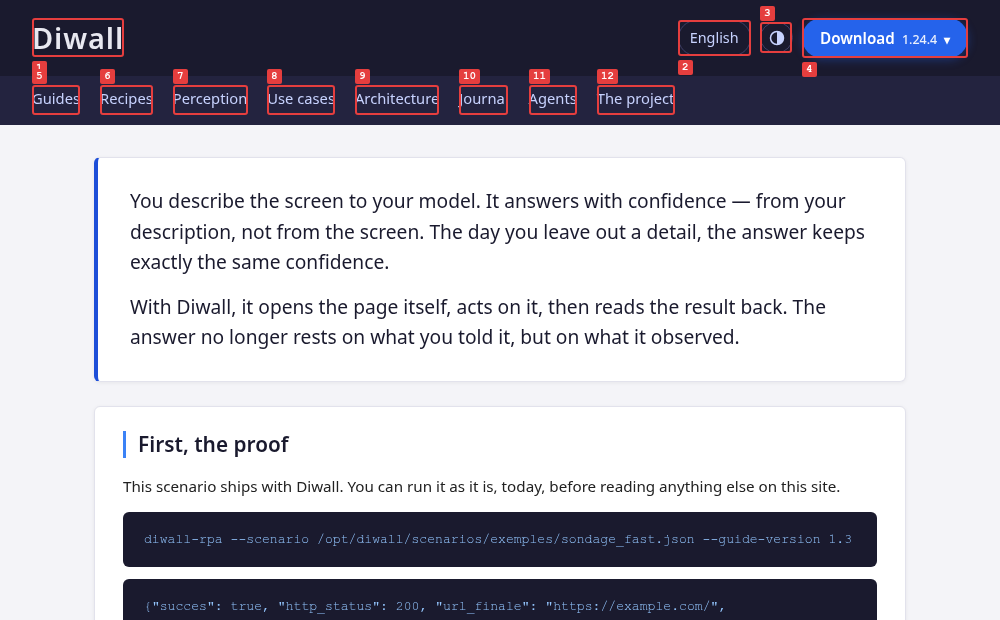
The numbers come back in the JSON alongside the image:
{"elements_som": [
  {"id": 1, "tag": "A", "texte": "Diwall"},
  {"id": 2, "tag": "SUMMARY", "texte": "English"},
  {"id": 7, "tag": "A", "texte": "Perception"}
]}
So clicking Perception is {"type": "cliquer_som", "id": 7}. No selector, no
description, no ambiguity about which element was meant. That is the whole
mechanism.
Three — as it reads
The same page again, as text — the accessibility tree the browser itself builds, the one a screen reader uses:
- link "Skip to content":
  - /url: "#contenu"
- banner:
  - heading "Diwall" [level=1]:
    - link "Diwall":
      - /url: /en/
  - group: English
  - button "Switch between light and dark theme"
  - group: Download 1.24.4 ▾
- navigation "Diwall":
  - link "Guides":
    - /url: /guides/
  - link "Recipes":
    - /url: /recipes/
  - link "Perception":
    - /url: /perception/
  - link "Use cases":
    - /url: /use-cases/
  - link "Architecture":
    - /url: /architecture/
  - link "Journal":
    - /url: /journal/
  - link "Agents":
    - /url: /agents/
  - link "The project":
    - /url: /project/
- main:
  - paragraph: You describe the screen to your model. It answers…
This view costs almost nothing in tokens and carries the structure an image cannot: what is a heading, what is navigation, where each link goes. It is also the view that reveals what an image hides.
What the three views disagree about
Look at the language menu. In the screenshot it is a button. In the numbered
view it is element 2. In the text view it is group: English — and
the four languages inside it are absent from all three.
They are in the HTML. They are simply closed: the menu is a native
<details> element, and a browser does not render what is not open. A person
clicks and sees them. An agent has to click first too, then look again.
This is not a flaw to hide, it is the honest answer to the question this page asks. What a model perceives is what is rendered, not what exists in the file. Whoever writes the page decides which of the two an agent gets.
The first version of this page proved it the hard way. The menu was closed but
still measurable, so Diwall numbered four elements with no text at all —
{"id": 10, "texte": ""}, four times. Useless to an agent, invisible to a
human, and caught only because we pointed the tool at our own page. One line
of CSS fixed it, and the capture above is the one taken after.
Reproduce it
diwall-shot --url https://diwall.davalan.fr/ --som --a11y --guide-version 1.3
One command returns all three: the screenshot, the numbered overlay, and the accessibility tree. The images on this page are its output, unedited — the plain screenshot is cropped to the same frame as the numbered one, which captures the viewport rather than the full page.